What the Analytics window shows
GluScout is a free glucose menu bar app for Mac. Its Analytics window describes the readings from your own Nightscout: what they add up to and what keeps repeating. It gives no advice.
Open it and pick a range
Click “Analytics” in the popover, or click a Profile card. Pick a Profile and a range: the last 7 days, 14 days, 30 days, 3 months, 6 months or the last year. The sidebar holds five views: Overview, AGP, Highs vs Lows, Patterns and Observations.
A range shows what your server holds, so a year of data appears only if your Nightscout holds a year. Analytics keeps a copy of up to one year of readings on this Mac, and the copy never leaves it.
Overview
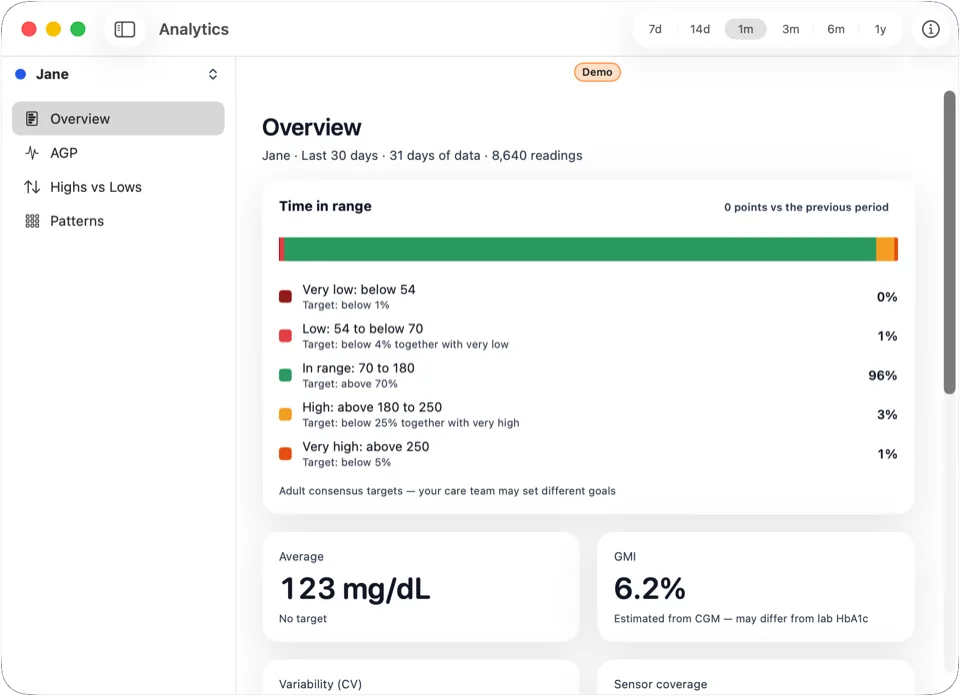
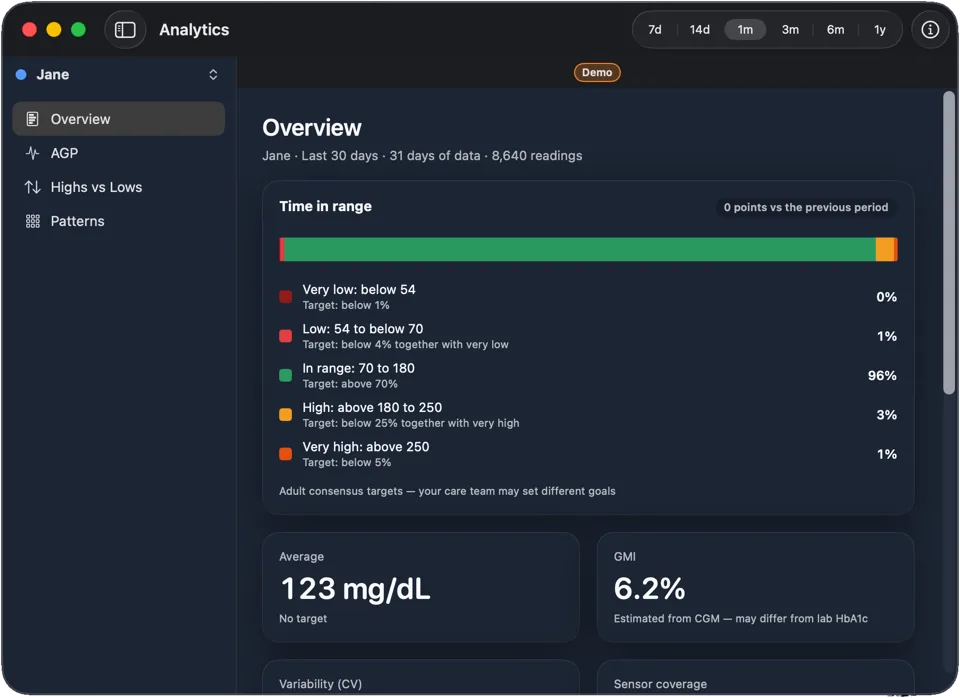
Time in range counts the readings between 70–180 mg/dL and splits the rest into very low, low, high and very high. Beside it sit average glucose, GMI, variability (CV), sensor coverage and the change against the previous period.
GMI is an estimate calculated from your average glucose: 3.31 + 0.02392 × average glucose in mg/dL. It may differ from a lab HbA1c.
Next to the values, the Overview shows the adult consensus targets. Your care team may set different goals.
AGP
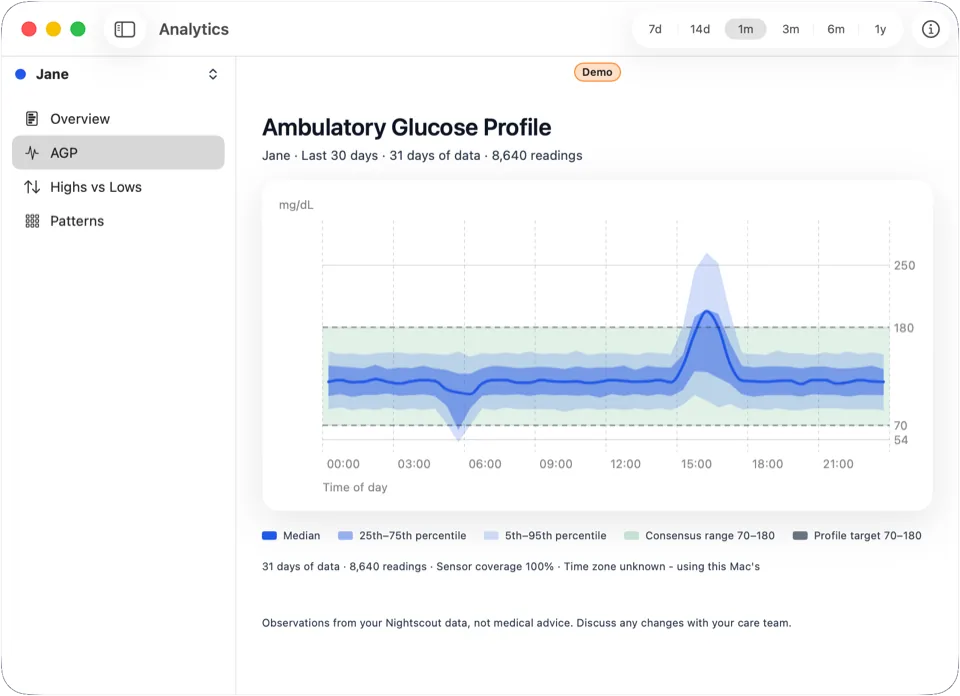
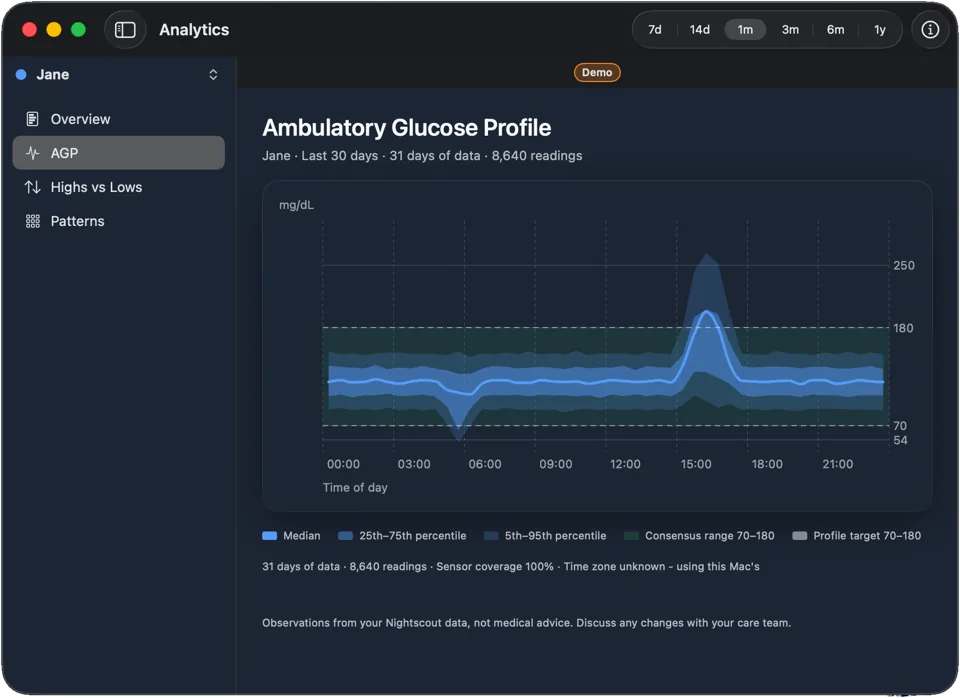
AGP stands for Ambulatory Glucose Profile. The view is GluScout’s take on the standard 24-hour glucose profile, often called an AGP report. It folds every day in the range into one typical day: the median as a line, with bands for the 25th–75th and the 5th–95th percentile.
Bands appear for time slots with data on 5 or more days. Where there is less, only the median shows. Times follow the time zone of the monitored person’s Nightscout, or this Mac’s when none is given.
Highs vs Lows
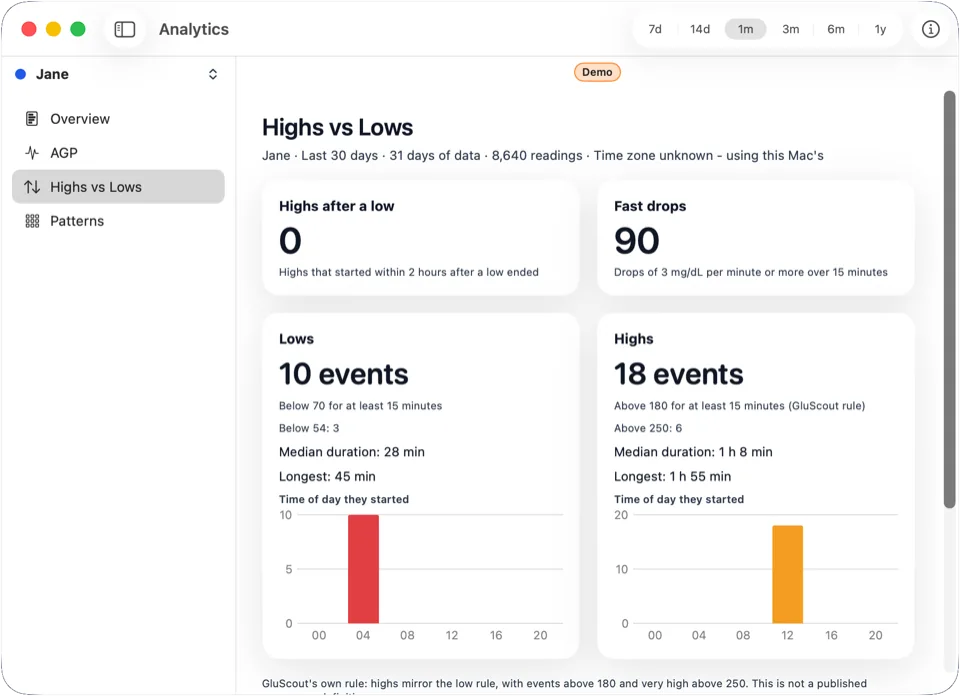
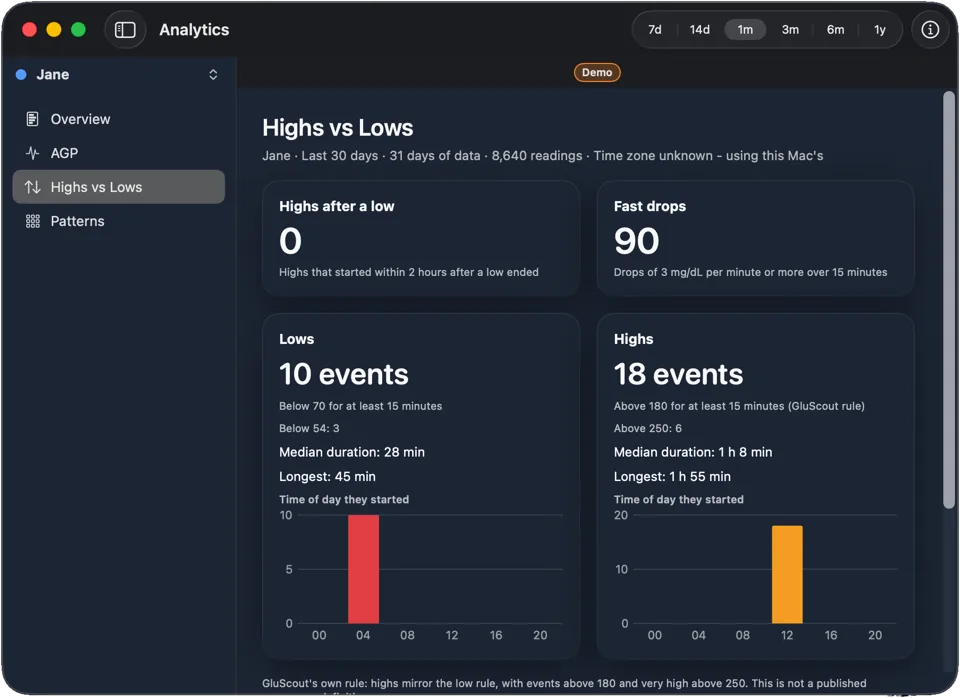
The view counts episodes. A low is a stretch below its threshold for at least 15 minutes, and a high is a stretch above its threshold for at least 15 minutes. The high rule is GluScout’s own, not a published consensus definition. For each kind you see how many there were, the time of day they started, the median duration and the longest.
It also counts highs that started within 2 hours after a low ended, and fast drops. A gap of more than 15 minutes between readings ends an event.
Patterns
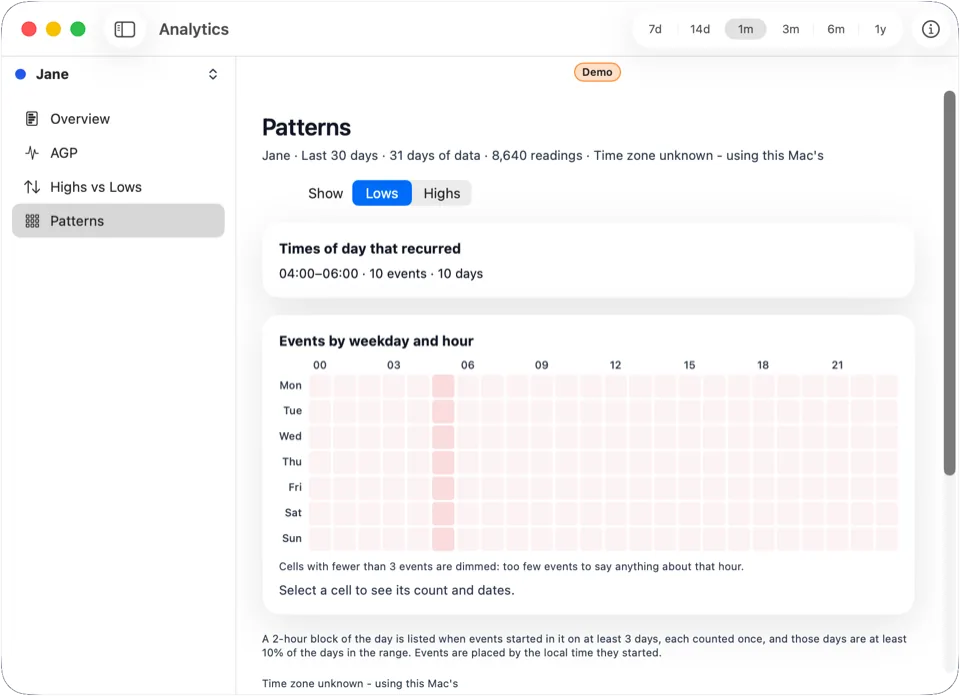
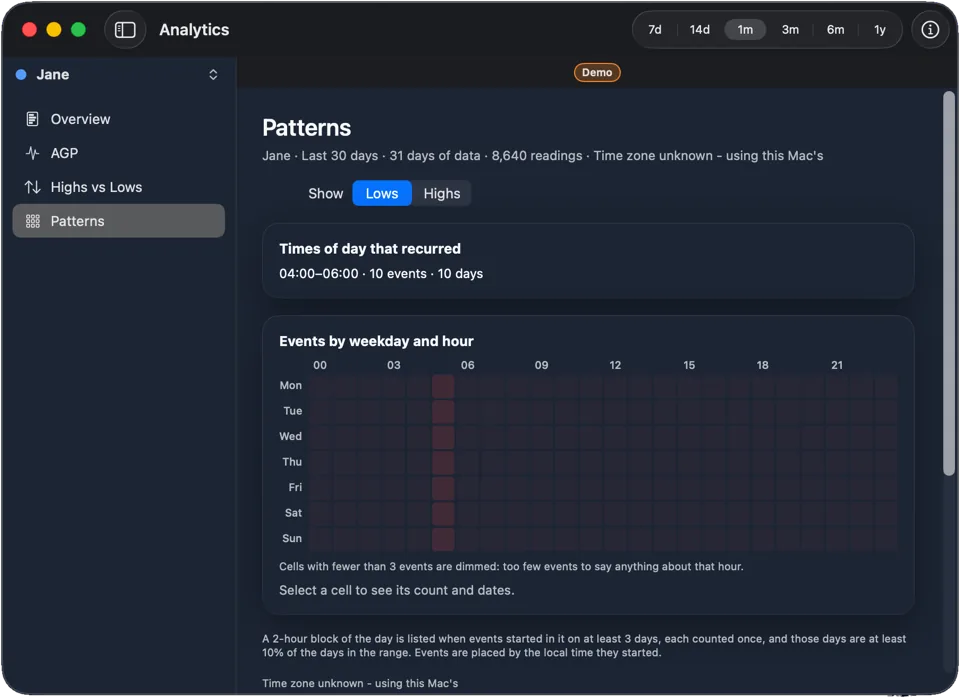
“Times of day that recurred” lists blocks of the day in which events started on enough different days, each day counted once. The heatmap shows events by weekday and hour. Select a cell to see its count and dates. Cells with too few events are dimmed, because that is too few to say anything about that hour.
Observations
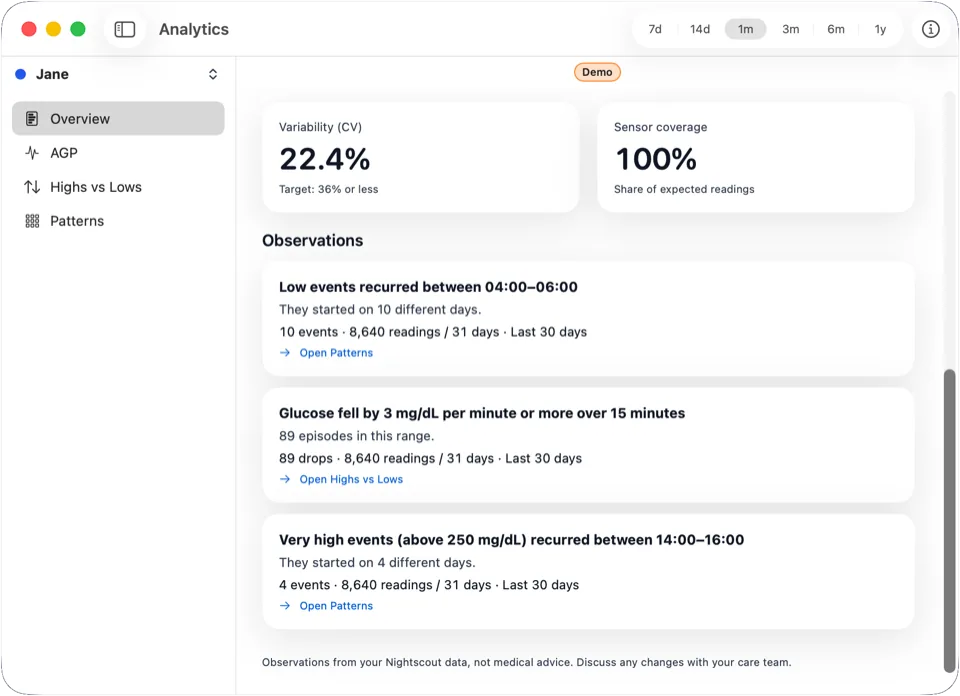
Observations are plain descriptions of your data. Each one shows its evidence: the value, the number of readings and days, and the range. They describe what happened, give no advice and use neutral colours, not alarm colours.
-
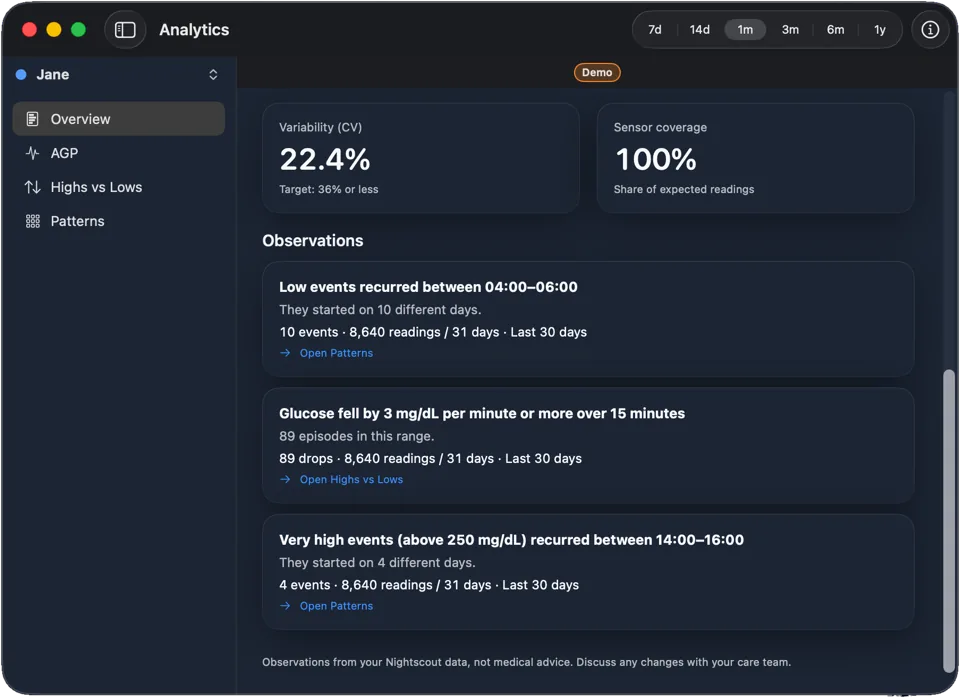
Low events recurred between 04:00–06:00. They started on 10 different days.
-
Glucose fell by 3 mg/dL per minute or more over 15 minutes. 89 episodes in this range.
-
Very high events (above 250 mg/dL) recurred between 14:00–16:00. They started on 4 different days.
When sensor data covers less than 70% of the days in a range, an Observation says its numbers may be off.
How much data is behind it
“Limited data” appears when a range holds fewer than 14 days of readings. Sensor coverage is the share of expected readings that are present. Below 70% the results may be off, and GluScout shows “Low coverage”. Every Observation names the readings and days it rests on.
Important
Observations from your Nightscout data, not medical advice. Discuss any changes with your care team.
GluScout is for information only. It is not a medical device and gives no medical advice. Always verify readings with your approved devices. Not for emergencies. Discuss any changes with your care team.
Not connected yet? Read how to set up GluScout. Other questions: Support.